An eSIM (embedded SIM) is a digital SIM card built directly into your phone, tablet, smartwatch, or laptop.
Instead of:
- Buying a plastic SIM card
- Swapping it with a tiny pin
- Hoping it works in a foreign country
…you simply buy a plan online from an eSIM provider like Holafly or Nomad, scan a QR code, and you’re connected. No physical card, no store visit, no stress.
In one sentence: eSIM lets you activate mobile data digitally, so you can land in a new country and have internet in minutes.
For travelers, this is a game changer: you avoid expensive roaming and the chaos of hunting for a SIM card at the airport.
How Does an eSIM Work? (In Real Life)
With a physical SIM, your mobile identity lives on a removable chip. With an eSIM, that same information lives on a secure chip inside your device, and your provider downloads a profile to it.
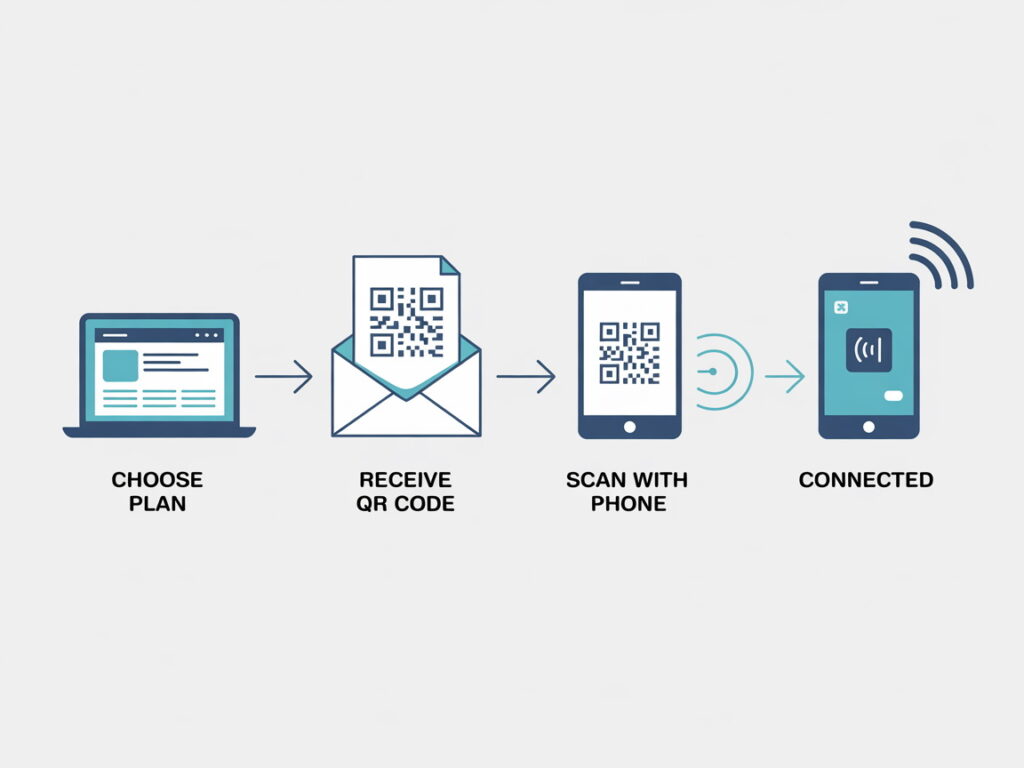
Here’s how it usually works when you use a travel eSIM provider like Holafly or Nomad:
- Go to their website and choose your destination (for example: Europe, Japan, USA).
- Pick a data plan and purchase it online.
- You receive a QR code and step-by-step instructions by email.
- On your phone, go to Settings → Mobile/Cellular → Add eSIM / Add mobile plan.
- Scan the QR code → your eSIM profile installs and activates.
From that moment, your phone behaves exactly as if you had inserted a local SIM card—just without the plastic.
Which Devices Support eSIM?
Most modern smartphones and many tablets and smartwatches now support eSIM.
Typical examples include:
- Newer iPhone models
- Many Samsung Galaxy and Google Pixel phones
- Some Xiaomi, Oppo, Huawei and other Android phones
- Certain iPads, LTE laptops, and smartwatches
Before buying any plan from Holafly or Nomad, you should:
- Check that your device supports eSIM.
- Check that eSIM is supported in your destination country or region.
Both brands provide compatibility information on their sites, so you can quickly confirm before you buy.
eSIM vs Physical SIM: What’s the Difference?
Both eSIM and physical SIM give you mobile data (and sometimes calls), but the way you use them is very different.
Physical SIM
- Plastic card you insert into a SIM tray
- Usually requires a store or airport kiosk
- Easy to lose or damage
- You physically swap cards when changing numbers or countries
eSIM
- Embedded chip in the device (no card to insert)
- Plan is activated digitally
- Buy from home on sites like Holafly or Nomad
- You can store multiple eSIM profiles and switch in Settings
For travelers, that means:
- No SIM-hunting when you land
- No language barriers at local kiosks
- You can set everything up before you fly
Why eSIM Is So Good for Travel

This is where eSIM really shines for city breaks, longer trips, and digital nomads.
1. Instant Data on Arrival
With Holafly or Nomad you can:
- Buy your eSIM before you leave home.
- Install it following the instructions you receive by email.
- Land, turn off airplane mode, and be online instantly.
No more searching for Wi-Fi to order a ride, struggling to load maps, or negotiating at SIM stands after a long flight.
2. Avoid Roaming Shock
Traditional roaming from your home carrier can easily become the most expensive part of your trip.
Using a travel eSIM from:
- Holafly – ideal if you want simple, often unlimited data in many destinations.
- Nomad – great for flexible, clearly priced data packs where you control how much you use.
…you typically pay a clear, upfront price for a set number of days or a data bundle, with no surprise bills later.
3. Keep Your Home Number Active
With many phones, you can use:
- Your home SIM for calls, SMS and authentication codes.
- Your travel eSIM from Holafly or Nomad for mobile data.
Banks, WhatsApp and online services still send codes to your usual number, while you get affordable local data for maps, ride-hailing, bookings and social media.
Main Types of eSIM Plans (Where Holafly & Nomad Fit)
1. Travel eSIMs – Perfect for Trips Abroad
Travel eSIMs are designed for tourists and digital nomads:
- Short-term plans: 5, 7, 10, 15, 20, 30 days
- Country or regional coverage (for example: Europe, Asia, global)
- Mostly data-only, which is perfect for modern app-based travel
This is exactly what Holafly and Nomad offer:
- Holafly: Ideal if you want simple plans with generous or unlimited data in many popular destinations.
- Nomad: Great if you prefer clear data bundles and like to control exactly how much you buy.
2. Main Mobile Line on eSIM
Some people also move their main number from a physical SIM to an eSIM with their local carrier. That frees up the physical SIM slot for other plans.
In that case, you can still add a travel eSIM from Holafly or Nomad just for data when you go abroad.
Is eSIM Safe?
Yes—eSIM is built on strict telecom standards and is considered at least as secure as a physical SIM.
- The eSIM chip is soldered inside the device.
- eSIM profiles are digitally signed and provisioned over secure channels.
- There is no physical card someone can simply pull out and steal.
As always, stay safe by:
- Only buying from reputable providers like Holafly and Nomad.
- Protecting your phone with a PIN, fingerprint, or Face ID.
- Being cautious on public Wi-Fi and avoiding suspicious links or apps.
Can I Use eSIM and a Physical SIM Together?
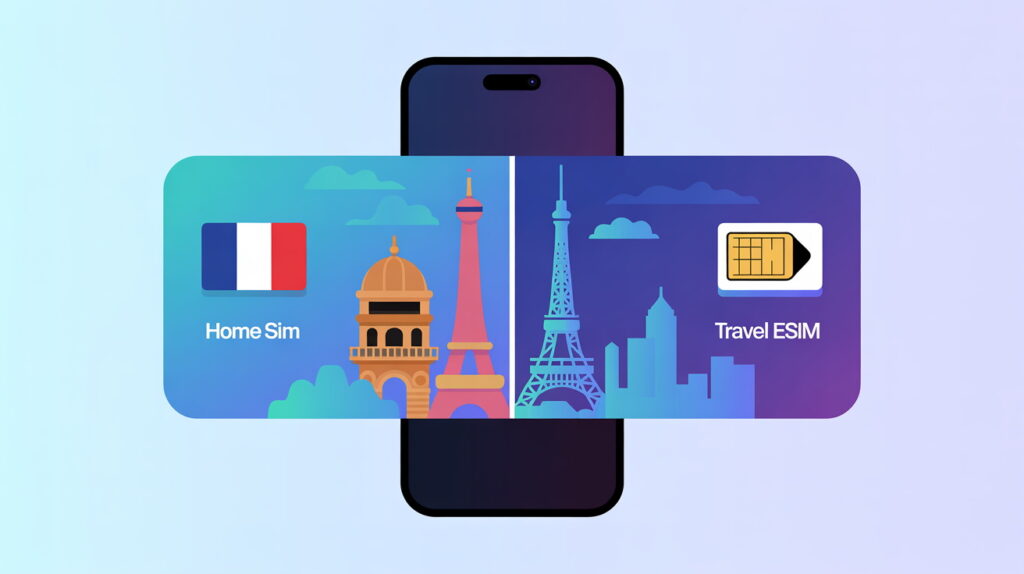
On many modern phones, the answer is yes.
A common travel setup looks like this:
- Slot 1 – Physical SIM: Your home country number (calls + SMS).
- eSIM – Holafly or Nomad: Travel data in the destination country.
In your phone’s settings, you can usually choose:
- Which SIM is used for mobile data.
- Which SIM is used for calls and SMS.
- Whether multiple lines are active at the same time (depends on phone and carrier).
This is one of the strongest advantages of eSIM: you don’t have to give up your home number to use Holafly or Nomad. You simply add a travel data layer on top.
How to Activate an eSIM Step-by-Step
Here is a simple step-by-step guide you can follow for most eSIM providers, including Holafly and Nomad.
1. Check Device Compatibility
First, make sure:
- Your phone supports eSIM.
- Your chosen provider supports your device and destination.
2. Choose a Plan
Go to the provider’s website and pick the plan that fits your trip:
- On Holafly, choose the country or region and select a plan with generous or unlimited data.
- On Nomad, select your destination and choose a data pack that matches your stay.
3. Purchase Online
Enter your email address, pay securely, and you will receive a QR code and clear installation instructions.
4. Install the eSIM
On your phone:
- Open Settings → Mobile/Cellular → Add eSIM / Add mobile plan.
- Scan the QR code from Holafly or Nomad.
- Follow the on-screen prompts and optionally label the plan (for example “Trip to Italy”).
5. Set It as Your Data Line
Set your new eSIM as the primary mobile data line while abroad and, if you want, disable data roaming on your home SIM to avoid accidental charges.
6. Test the Connection
Turn off Wi-Fi, open a website or app, and check that mobile data works correctly. If it does, you’re ready for your trip.
When Should You Definitely Use an eSIM?

1. Short Trips and City Breaks
For 3–10 day trips, buying a local SIM in-store is often not worth the hassle. A prepaid travel eSIM from Holafly or Nomad takes minutes to set up and usually costs less than roaming.
2. Longer Trips or Multi-Country Itineraries
If you are visiting several countries in one trip:
- Holafly offers regional eSIMs that cover multiple countries under one plan.
- Nomad lets you pick and top up plans as you move through different countries.
This is much easier than buying one physical SIM per country.
3. Digital Nomads and Remote Workers
Digital nomads need reliable data everywhere they go. With travel eSIMs:
- You keep your local number at home.
- You use Holafly or Nomad eSIMs to stay online wherever you travel.
- You can switch plans easily as you move to new destinations.
Common Misconceptions About eSIM
“If my phone uses eSIM, I can’t use a physical SIM.”
Not always. Many phones support both at once (dual SIM). Some models are eSIM-only, but plenty still have a SIM tray.
“I’ll lose my number if I move to eSIM.”
If you convert your main mobile line to eSIM with your local carrier, your number stays the same. eSIM is just a different format, not a new phone number.
“I always need internet for eSIM to work.”
You only need an internet connection to download and activate the eSIM profile from providers like Holafly or Nomad. After that, it works like a normal SIM using the mobile network.
Final Thoughts: Is eSIM Worth It?
For modern travelers, the answer is almost always yes:
- It’s easier than hunting for SIM cards abroad.
- It’s usually cheaper and more transparent than traditional roaming.
- You can stay connected from the moment your plane lands.
If you want a simple way to get data on your next trip, an eSIM is one of the easiest upgrades you can make.
Ready to try eSIM on your next trip?
- Check destination eSIM plans with Holafly: https://holafly.com
- Compare alternative bundles with Nomad: https://getnomad.app
Set everything up before you leave, and you’ll land already connected—no roaming shock, no SIM card drama.